$12 – $18
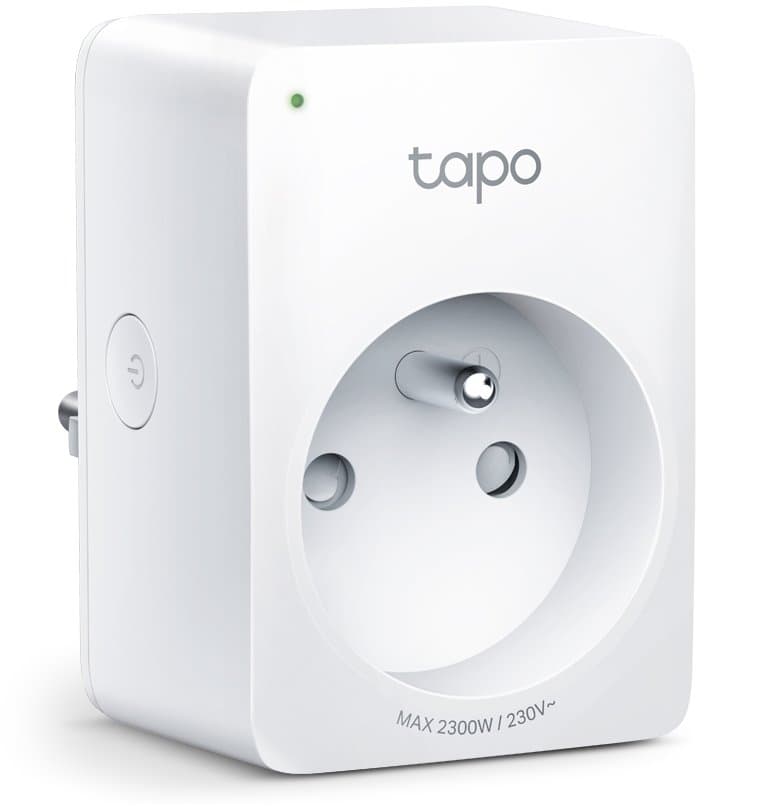
Compact smart plug with energy monitoring. Tracks power consumption and estimates electricity costs.
You only need basic non-critical automation
Great for lamps, chargers, and devices where occasional failures aren't critical
You have limited outlet space
Compact mini design won't block adjacent sockets on power strips or wall outlets
You're a budget-conscious smart home beginner
Under £15 RRP (often £10 on sale) with energy monitoring, scheduling, and voice control
You want affordable energy monitoring
Built-in power consumption tracking at budget price point - best value for money in its class
You need reliability for critical appliances
15% failure rate per socket-year reported - internal relay failures can cause on/off cycling that may damage fridges/freezers
You have an early hardware batch (pre-2023)
Early P110 batches had 30-50% failure rate with internal relay issues - P110M is more reliable
You use Apple HomeKit
No Matter or HomeKit support - get Tapo P110M or P125M for native HomeKit compatibility
You have frequent power outages
Schedule can desync when offline - internal clock loses synchronization without internet
Plugs go offline/online repeatedly after firmware updates, requiring re-integration
GitHub IssuesShows devices as 'not responding' intermittently - app shows online/offline cycling
TP-Link CommunityEnergy monitoring shows hourly averages, not real-time power - readings often inaccurate compared to dedicated meters
Amazon ReviewsInternal relay failures cause plugs to switch on/off repeatedly, potentially damaging connected equipment
TP-Link CommunityInternal relay failures causing plug to cycle on/off repeatedly
widespreadCause: Manufacturing defect in early batches - relay contacts get stuck or fail
Firmware updates break functionality, require factory reset and reconfiguration
commonCause: Updates sometimes reset schedules or break third-party integrations
Pairing gets stuck at 'Pairing your Tapo device...' screen
commonCause: 2.4GHz-only limitation - fails silently on 5GHz or dual-band networks with same SSID
Connection drops requiring physical unplug/replug to restore
commonCause: WiFi instability or weak signal at plug location
Energy readings inaccurate compared to dedicated power meters
rareCause: Shows averaged hourly data, not real-time measurements
Connecting to 5GHz WiFi or dual-band network with same SSID
Setup fails silently or plug keeps disconnecting
Tip: Split your 2.4GHz and 5GHz networks into separate SSIDs, or disable 5GHz temporarily during setup
Setting up multiple devices simultaneously
Pairing failures and confusion about which device is which
Tip: Configure one device at a time - complete full setup before starting next device
Installing in location with weak WiFi signal
Repeated disconnections and unreliable automation
Tip: Test WiFi signal strength at plug location first - consider WiFi extender if needed
Initial setup, remote access outside home, Smart Actions without hub, energy monitoring time sync
Manual on/off via physical button, local app control on same WiFi network, pre-set schedules
Email, location, device identifiers, usage patterns, geolocation if enabled
Cloud sync required for credentials validation - advertising data sharing mentioned in privacy policy
TP-Link Tapo P110M
If: Need better reliability for critical devices
Meross MSS315
If: Need Matter with energy monitoring and different ecosystem
You get it on sale under £10-15
Best value smart plug with energy monitoring at this price - hard to beat for non-critical devices
You need reliability for critical appliances (fridge, freezer)
Reported 15% failure rate and relay issues make it risky - get P110M instead for critical devices
You want basic energy tracking on non-critical devices
Perfect for monitoring lamps, chargers, entertainment equipment where occasional issues aren't critical
You need Apple HomeKit support
No HomeKit/Matter support - upgrade to P110M or P125M for native Apple compatibility
It shows hourly averages, not real-time power data. Some users report inaccuracies compared to dedicated power meters - it's good for estimates but not precise measurements.
Source: Amazon ReviewsCommon causes: weak WiFi signal at plug location, dual-band router with same SSID confusing the device, or firmware issues. Try splitting 2.4/5GHz networks and moving closer to router.
Source: TP-Link CommunityNo, the P110 only supports 2.4GHz WiFi. If your router uses the same SSID for both bands, you may need to split them for reliable setup.
Source: TP-Link SupportYes, once linked to Alexa/Google Home you can delete the app, but you'll lose advanced features like energy monitoring, schedules, and detailed controls.
Source: TP-Link FAQNo, the standard P110 does NOT support HomeKit natively. You need the P110M (Matter version) for native HomeKit support, or use third-party bridges like Homebridge.
Source: TP-Link FAQ