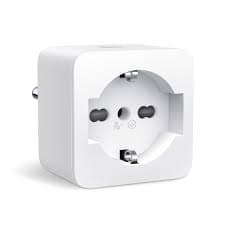
$11.99 – $16.99
Compact 15A WiFi smart plug with Alexa and Google support, UL certified for safe operation.
You use Alexa or Google Assistant for voice control
Full compatibility with both voice assistants, no hub required
You need to share device control with family
Easy family sharing feature lets multiple users control the plug
You want easy Bluetooth setup
Bluetooth Onboarding makes initial setup faster and smoother than WiFi-only pairing
You have very crowded power strips or outlets
Thinner and more compact than P100, designed to leave adjacent sockets accessible
You need energy monitoring
P105 has no power consumption tracking - upgrade to Tapo P110 instead
You use Apple HomeKit
No native HomeKit or Matter support - consider Tapo P125M
You need app control without internet
Requires active internet connection - no local-only control mode available
You need reliable schedules after firmware updates
Firmware updates have been reported to break timer/schedule functionality
Firmware update to v1.4.0 broke timer and schedule functionality - schedules only work after device reset
TP-Link CommunityHardware failures reported after 2-3 years of use - plug emits heat but no longer functions
TP-Link CommunityPlugs disappear from app when not on same WiFi network - no true remote access without internet
TP-Link CommunitySeptember 2023 firmware update (v1.2.1) broke Home Assistant integration - plugs no longer recognized
GitHub IssuesRequires live internet connection - cannot control via app during outages
widespreadCause: TP-Link cloud architecture with no LAN-only control mode
Firmware updates break functionality - schedules and timers stop working
commonCause: Firmware quality issues, particularly with v1.4.0
No energy monitoring capability
commonCause: Entry-level model without power tracking hardware
Difficulty connecting to WiFi - only works with 2.4GHz, must disable 5GHz during setup
commonCause: No 5GHz support; router configuration required
Trying to connect with 5GHz WiFi enabled on router
Setup fails repeatedly - plug cannot connect
Tip: Temporarily disable 5GHz band or ensure phone is on 2.4GHz during setup
Updating firmware immediately after setup
Risk of breaking schedules and timer functionality
Tip: Check TP-Link community forums for firmware issues before updating
Expecting remote access without internet
Plugs disappear from app when internet goes down
Tip: Set up schedules in advance as they work offline; accept limited control during outages
All app-based control, remote access, voice commands
Pre-programmed schedules and timers (stored on device), physical button
TP-Link collects usage data and account information
No local API available - all control requires TP-Link cloud servers
TP-Link Tapo P110
If: Need energy monitoring
TP-Link Tapo P125M
If: Need Apple HomeKit support
TP-Link Tapo P100
If: Need slightly larger but similar plug
You have very tight outlet spaces
The thinner design compared to P100 makes it ideal for crowded power strips
You need energy monitoring
No power tracking - spend a bit more on Tapo P110
You use Apple ecosystem
No HomeKit/Matter support - get P125M instead
You want basic scheduling with Alexa/Google
Reliable basic functionality with good voice assistant support
Some firmware versions (especially v1.4.0) have caused schedule/timer issues. Try factory resetting the plug and reconfiguring schedules, or check TP-Link forums for firmware rollback options.
Source: TP-Link CommunityThe P105 only works with 2.4GHz WiFi. If your router broadcasts both 2.4GHz and 5GHz, you may need to temporarily disable 5GHz or ensure your phone is on the 2.4GHz network during setup.
Source: TP-Link CommunityNo, the P105 does not have native HomeKit or Matter support. For HomeKit, you need the P125M or can use Homebridge as a workaround.
Source: TP-Link FAQNo, the P105 requires a live internet connection for app control. However, pre-programmed schedules stored on the device will continue to work during outages.
Source: TP-Link CommunityThe P105 is thinner and more compact than the P100, designed for tighter spaces. Both have identical software features and neither has energy monitoring.
Source: TP-Link FAQ