$9.99 – $14.99
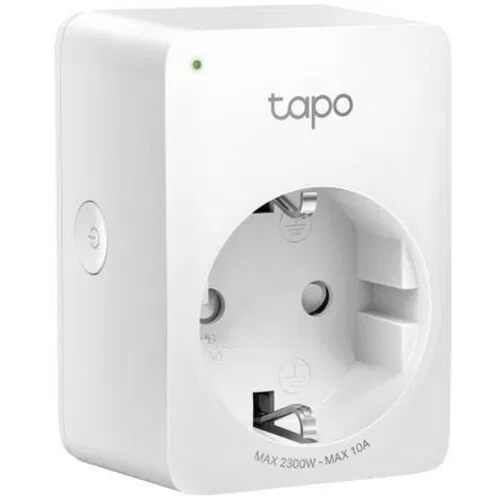
Compact WiFi smart plug with Alexa and Google Assistant support, scheduling, and away mode.
You use Alexa or Google Assistant
Solid voice control integration with both platforms, no hub required
You only need basic smart home control
Simple on/off, scheduling, and timers work reliably for basic automation
You have limited outlet space
Ultra-compact design (51x72x40mm) won't block adjacent sockets
You're on a very tight budget
One of the cheapest smart plugs available at under $10
You need energy monitoring
P100 has no power consumption tracking - upgrade to Tapo P110 instead
You use Apple HomeKit
No Matter or HomeKit support - consider Tapo P125M or Eve Energy
You need app control without internet
Tapo app requires active internet connection - no local-only control mode
You already have Kasa smart home devices
Uses separate Tapo app - cannot be combined with Kasa devices in one app
Plug may stop powering connected devices despite LED showing 'on' and relay clicking - relay contacts can get stuck
TP-Link CommunityGoes offline when internet drops and often requires factory reset to reconnect
TP-Link CommunityFirmware updates can break Home Assistant integration, requiring re-pairing
GitHub IssuesIntermittent connection issues - plugs randomly show offline in Alexa app
TP-Link CommunityRequires active internet connection for app control - completely inaccessible during outages
widespreadCause: TP-Link cloud architecture - no LAN-only control mode available
Uses separate Tapo app, incompatible with older Kasa devices
commonCause: TP-Link maintains two separate smart home ecosystems
No energy monitoring capability
commonCause: Entry-level model - P110 has this feature
Status LED is extremely small and hard to see
commonCause: Pinhole-sized LED design choice
Trying to connect to a 5GHz WiFi network
Setup fails - device cannot connect
Tip: Ensure you're connecting to a 2.4GHz network during setup
Expecting to control the plug during internet outages
App shows 'Unstable Network' and plug becomes inaccessible
Tip: Set up schedules in advance - they work offline. For on-demand control, use physical button only
Buying P100 when you have existing Kasa devices
Must manage two separate apps for your smart home
Tip: Stick with Kasa ecosystem, or migrate fully to Tapo
All app-based control, voice commands, remote access
Pre-programmed schedules and timers (stored on device), physical button
TP-Link collects usage data and account information through Tapo app
No local API - all control goes through TP-Link cloud servers
TP-Link Tapo P110
If: Need energy monitoring
TP-Link Tapo P125M
If: Need Apple HomeKit support
Kasa Smart Plug EP10
If: Need IFTTT integration
You need the absolute cheapest smart plug
Hard to beat the value at under $10 for basic smart plug functionality
You need energy monitoring
Spend slightly more on Tapo P110 which includes power tracking
You use Apple HomeKit
No HomeKit/Matter support - get the P125M instead
You just need basic Alexa/Google control
Simple, reliable voice control for basic on/off and scheduling
Common causes: 5GHz WiFi (use 2.4GHz only), weak signal, internet outages, or router issues. Try placing closer to router and ensure stable 2.4GHz connection.
Source: TP-Link SupportNo, Tapo and Kasa use separate apps and cannot be combined. You'll need to manage them separately.
Source: TP-Link CommunityThe P110 adds energy monitoring to track power consumption. The P100 is the basic model without power tracking. Both have the same size and smart features.
Source: TP-Link FAQPartially. The Tapo app requires internet and won't work during outages. However, pre-programmed schedules are stored on the device and will continue to work offline.
Source: TP-Link CommunityNo, the P100 does not support HomeKit or Matter. It cannot be upgraded via firmware. For HomeKit support, get the Tapo P125M or use Homebridge as a workaround.
Source: TP-Link Community