$15 – $30
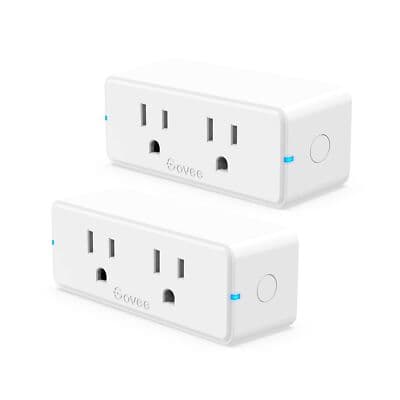
Budget-friendly WiFi smart plug. Works with Alexa and Google Assistant. Timer and group control features.
You have other Govee devices
Integrates with Govee ecosystem for unified lighting and smart home control
You need countdown timers and scheduling
App has practical tools like countdown timers, power cycling, and group controller
You use Alexa and Google Assistant
Works with both major voice ecosystems - quick response within a second
You want budget smart plugs in bulk
Around $6-7 per plug in 4-pack - one of the cheapest Alexa/Google compatible options
You use Apple HomeKit
No HomeKit support - Govee focuses on Alexa/Google integration only
You need energy monitoring
Standard Govee Smart Plug has no power tracking - get Govee Smart Plug Pro or Kasa EP25
You have mesh WiFi that hides 2.4GHz
Some mesh networks don't expose 2.4GHz band separately - causes connection issues
You want a polished, refined app experience
Govee app is functional but less polished than Kasa or Tapo apps
Devices go offline/unavailable in Google Home - common complaint requiring reset
Google Nest CommunityWiFi connection problems with mesh networks that don't expose 2.4GHz band
Govee CommunityComplex WiFi passwords with special characters can cause connection failures
Govee SupportDistance from router matters - signal degrades quickly beyond 100ft with obstructions
User ManualNo Apple HomeKit support
widespreadCause: Govee doesn't pursue HomeKit certification for standard plugs
No energy monitoring on standard version
commonCause: Feature reserved for Govee Smart Plug Pro model
App less polished than competitors
commonCause: Govee app functional but UI/UX inferior to Kasa and Tapo
2.4GHz WiFi only
commonCause: Hardware limitation - no 5GHz support like most budget smart plugs
Using 5GHz WiFi network
Plug won't connect - only 2.4GHz supported
Tip: Ensure router has separate 2.4GHz SSID or temporarily disable 5GHz
Using mesh network with hidden 2.4GHz band
Connection fails or becomes unstable
Tip: Configure mesh to expose 2.4GHz separately or use legacy mode during setup
WiFi password with special characters
May fail to connect due to character encoding issues
Tip: Try simplified password during setup if connection fails
Placing plug far from router
Weak signal, frequent disconnections
Tip: Keep within 100ft of router with minimal obstructions (walls, windows)
All app control, voice commands, scheduling, energy monitoring - everything goes through Govee cloud
Physical button only - no app control, no voice, no automation without internet
Govee collects usage data, device states, and energy consumption through their app
Fully cloud-dependent - all commands routed through Govee servers, typical for budget smart home devices
Kasa EP10
If: Need better app and broader ecosystem support
Wyze Plug
If: Similar budget plug alternative
Govee Smart Plug Pro
If: Need energy monitoring in Govee ecosystem
You want cheapest Alexa/Google plugs in bulk
At $6-7 per plug in 4-pack, excellent value for basic smart plug needs
You use Apple HomeKit
No HomeKit support - get Kasa EP10/EP25 or Meross for Apple ecosystem
You have other Govee lights/devices
Good addition to existing Govee ecosystem - unified app control
You need energy monitoring
Standard version has no power tracking - get Govee Smart Plug Pro or Kasa EP25
Kasa has a more polished app, Matter support, and HomeKit compatibility. Govee is cheaper and works well in Govee ecosystem, but has fewer platform options.
Source: Plug and Play LivingVery limited - only the physical button works offline. All app control, voice commands, scheduling, and automation require internet connection.
Source: Android Police ReviewCommon causes: using 5GHz network (only 2.4GHz works), mesh network hiding 2.4GHz band, special characters in WiFi password, or distance over 100ft from router with obstructions.
Source: Govee CommunityThe standard Govee Smart Plug does not have energy monitoring. For power tracking, get the Govee Smart Plug Pro which shows real-time W, A, V, and kWh data.
Source: Govee USNo, Govee Smart Plug doesn't support HomeKit. It only works with Amazon Alexa and Google Assistant.
Source: Amazon Product Page